Updating the firmware on a solar inverter can seem daunting for many users. However, it plays a crucial role in maximizing efficiency and ensuring safety. According to the Solar Energy Industries Association (SEIA), residential solar installations grew by 30% in 2022. As demand increases, so does the importance of maintaining these systems. Understanding how to update the firmware on a solar inverter is vital for optimal performance.
The process may vary across different manufacturers, creating potential challenges for users. Many inverter owners overlook this task, which can lead to reduced energy output or operational failures. Recent studies indicate that a firmware update can enhance energy harvesting by about 5%, significantly impacting homeowners’ savings. Even small updates can introduce essential security patches, safeguarding your system against vulnerabilities.
Navigating firmware updates requires attention and patience. Users must familiarize themselves with their inverter’s interface and documentation. Despite the technological advancements, not all updates will go smoothly. Issues may arise, reminding users of the inherent complexities in modern solar technology. Staying informed and proactive ensures that solar energy systems continue to deliver the benefits they promise.
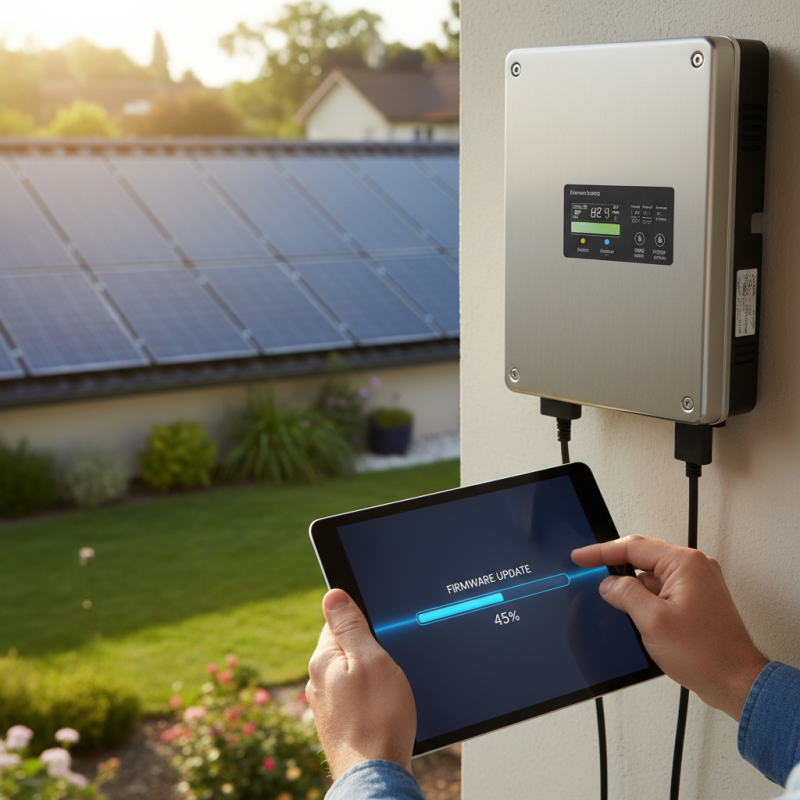
Firmware updates for solar inverters are crucial for optimal performance. They ensure that the inverter operates efficiently and effectively. Over time, manufacturers release updates to enhance features, fix bugs, and improve security. Each update can significantly impact energy production and reliability.
Neglecting firmware updates may lead to issues. Inverter performance might drop, causing lower energy yields. Moreover, without recent updates, your system may be vulnerable to cybersecurity threats. Regularly updating firmware helps mitigate these risks. It builds a robust solar energy system that stands the test of time.
Many users delay updates due to complexity. They fear the process might damage their system. This hesitation can be detrimental. It’s important to understand that updates are often straightforward. Taking the time to complete updates can bring peace of mind and enhance the longevity of your solar inverter.
To ensure optimal performance of your solar inverter, identifying the right firmware version is essential. Firmware is the software embedded in your inverter, dictating its operations and efficiency. According to industry studies, updating firmware can improve energy efficiency by up to 30%. Knowing the correct version for your model helps in achieving this efficiency.
When checking for the right firmware, start with the manufacturer’s website. Most manufacturers provide a support section with detailed instructions. This section often lists the current firmware versions and recent updates. For instance, a report revealed that nearly 40% of solar inverter users operate outdated firmware. This oversight leads to performance issues and reduced energy output.
Also, keep an eye on software release notes. These documents provide insights into improvements and bug fixes. For example, certain updates address connectivity problems, which can make a significant difference. However, ensure compatibility with your specific inverter model before proceeding. Mistakes here can lead to functionality issues. Always verify your inverter's model number against the provided firmware details.
This chart illustrates the distribution of solar inverters across different firmware versions. Each bar represents the count of inverters operating on a specific version, indicating how many users have successfully updated to each of the specified firmware releases.
Preparing your solar inverter for a firmware update requires careful attention. Numerous studies show that improper preparation can lead to serious issues. For instance, a report from the Solar Energy Industries Association noted that 15% of firmware update failures are due to inadequate preparation.
Start by ensuring your inverter is operational. This involves checking the status lights and confirming that it’s connected to the network. Clear any potential obstructions that might interfere with signal strength. Complete a system health check. This includes examining the wiring and ensuring the cooling fan is functioning correctly. Skipping this step could result in overheating during the update, which could damage the system.
Back up your existing settings before initiating the update. This step is often overlooked, yet it is crucial. If something goes wrong, you might lose your configurations. According to a study published by the National Renewable Energy Laboratory, 20% of users faced issues because they didn't back up their settings. Lastly, ensure your inverter’s environment is stable. High humidity or extreme temperatures can jeopardize the update process. Taking these precautions can save time and resources in the long run.
| Step | Action | Notes |
|---|---|---|
| 1 | Check Current Firmware Version | Access your inverter's settings via the app or web portal. |
| 2 | Visit Manufacturer's Website | Look for the latest firmware updates specific to your model. |
| 3 | Download Firmware Update | Ensure the file matches your inverter model. |
| 4 | Connect to Inverter | Use the app or a USB cable to connect to your inverter. |
| 5 | Upload Firmware File | Follow prompts to upload the firmware file you downloaded. |
| 6 | Verify Update | Check the firmware version again post-update to confirm. |
| 7 | Restart Inverter | Power cycle your inverter to finalize the update process. |
Updating the firmware on your solar inverter is crucial for optimal performance. Many manufacturers report that firmware updates can improve energy efficiency by as much as 10%. Regular updates ensure your inverter runs smoothly and complies with the latest standards. This step-by-step guide will help you navigate the update process.
Before starting, ensure you gather necessary tools. A stable internet connection is essential. Often, manufacturers provide downloadable files on their website. Navigate to the support section. Check for the latest firmware version compatible with your inverter model. Download the file to your device.
**Tips:** Always back up your inverter settings before updating. This prevents data loss in case of unexpected issues. Follow the manufacturer's instructions carefully. Even a small error can lead to functionality problems. After the update, monitor your inverter for performance. Some users may notice glitches; these aren't uncommon and can often be resolved with easy fixes.
Keep in mind that many users overlook firmware updates. A report from the Solar Energy Industries Association highlights that only 25% of solar owners regularly check for updates. The consequences can include inefficient energy conversion. Regular maintenance, including firmware updates, can significantly extend the lifespan of your solar inverter.
After updating your solar inverter firmware, you might encounter various issues. These challenges often stem from compatibility problems or configuration errors. According to recent industry reports, over 25% of users experience performance drops after firmware updates. This can be alarming, especially given that solar system efficiency is crucial for energy savings.
Common problems include communication issues between the inverter and the monitoring app. Sometimes, the inverter fails to connect. This can lead to data loss or inaccurate performance monitoring. It is advisable to check the settings and ensure everything aligns with the manufacturer’s guidelines. Another recurring issue is the inverter not accepting the new firmware. In some cases, a factory reset might resolve such hurdles.
It's essential to remain patient during this process. Newer firmware can bring improvements, but transitions are not always seamless. If your inverter behaves unexpectedly, document the changes. This will help technical support in diagnosing the issue more effectively. Ensure you keep your firmware up to date, yet always be prepared for potential setbacks. Following best practices and consulting professional resources will enhance your troubleshooting efforts.
: Proper preparation prevents serious issues. Studies show many update failures stem from inadequate preparation.
Ensure the inverter is operational and check the status lights. Confirm the network connection is stable.
Complete a system health check. Verify that the wiring is intact and the cooling fan functions properly.
Backing up settings protects against data loss. Many users experience issues due to not backing up correctly.
Keep the inverter in a stable environment. High humidity and extreme temperatures can jeopardize the update process.
Many users neglect to back up their existing settings, leading to potential data loss during updates.
Gather a stable internet connection and download the necessary firmware file from the support section of the website.
Yes, some users report glitches post-update. These issues can typically be resolved with simple fixes.
Regular updates are key. Statistics show that many owners neglect updates, impacting efficiency and performance.
Skipping updates can lead to inefficient energy conversion and may shorten your inverter's lifespan over time.
Updating the firmware on your solar inverter is crucial for maintaining optimal performance and enhancing functionality. A firmware update can address bugs, improve system efficiency, and ensure compatibility with new technologies. To begin, it's essential to identify the right firmware version that aligns with your specific inverter model, as using the incorrect version may lead to operational issues.
To successfully execute the update, first prepare your solar inverter by ensuring it is properly connected and powered. Follow a step-by-step guide that typically involves downloading the firmware, installing necessary software, and executing the update process. After completing the update, troubleshoot any common issues that may arise, such as connectivity problems or performance discrepancies. By understanding how to update the firmware on a solar inverter, users can enhance their solar power system's reliability and longevity.

NovaVolt Service